US Passport Photo Requirements: The Complete 2026 Guide
Getting a US passport is an exciting milestone, whether you're traveling for the first time or renewing an expiring document. But before you book that trip abroad, you'll need to submit a proper passport photo. While this might seem straightforward, the State Department has specific technical requirements that many people overlook, leading to rejected applications and costly delays.
In this comprehensive guide, we'll walk you through every detail of US passport photo requirements for 2026, so you can get it right the first time and keep your travel plans on track.
Official Photo Size and Dimensions
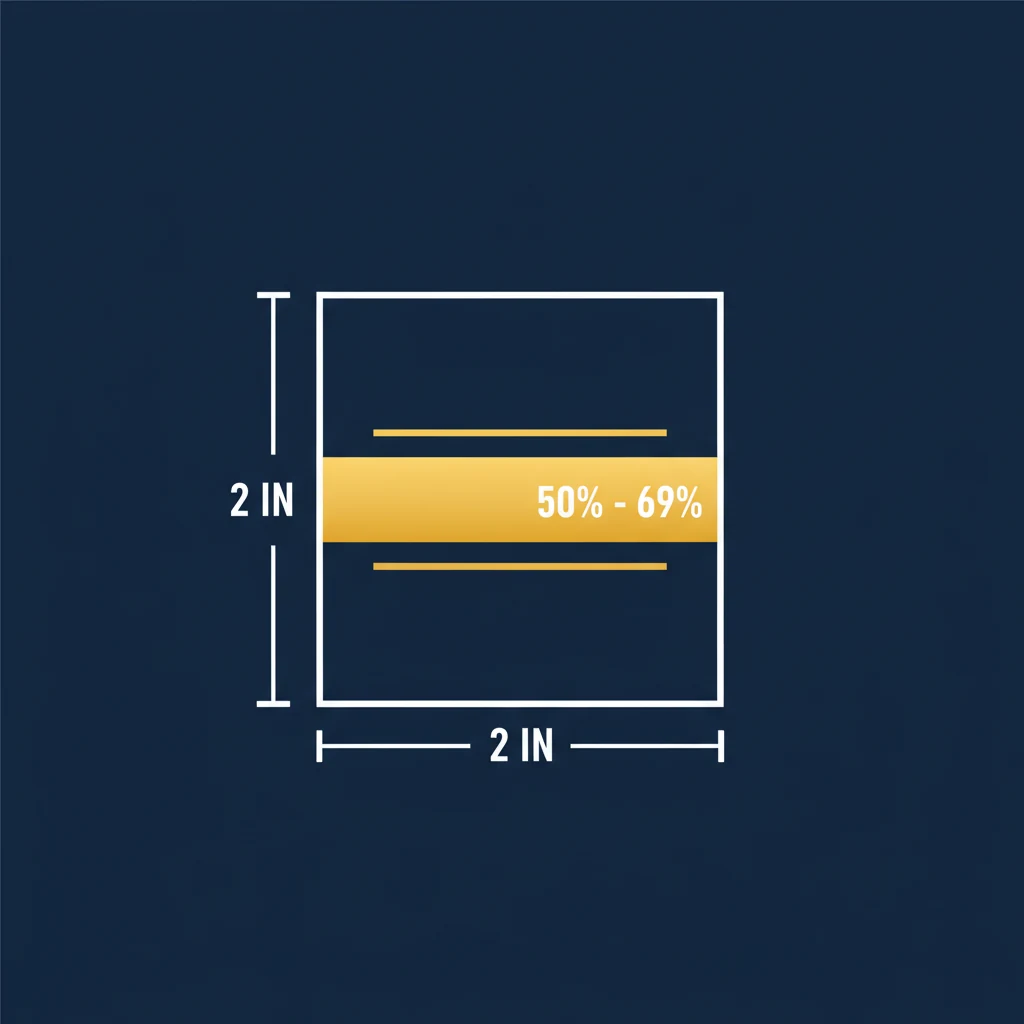
The most fundamental requirement is the photo size. The US State Department requires passport photos to be exactly 2 inches by 2 inches (51 millimeters by 51 millimeters). This is a strict specification with no flexibility.
For digital photos, the minimum resolution is 600 pixels by 600 pixels at 300 DPI (dots per inch). If you're printing at home or having a professional print your photo, this resolution ensures clarity and detail without graininess or pixelation.
The reason for this precision is straightforward: passport photos are scanned and stored digitally, and these dimensions ensure the biometric data can be accurately captured and verified by automated systems and border officials worldwide.
Head Positioning and Framing
Head positioning is critical and one of the most common reasons photos get rejected. The State Department has very specific rules about where your head must sit within the frame.
Head Height in Frame
Your head height (measured from the top of your head to the bottom of your chin) must be between 1 inch and 1 3/8 inches (25-35 millimeters). This represents 50-69% of the total frame height.
In practical terms, this means your head should take up roughly half to two-thirds of the photo. Your head can't be too small (which makes facial recognition difficult) or too large (which crops important features). Getting this measurement right is essential for photo acceptance.
Eye Position
Your eyes must be positioned between 1 1/8 inches and 1 3/8 inches from the bottom of the photo (56-69% from the bottom). This positioning ensures your eyes are in the optimal position for facial recognition systems used by passport and customs authorities.
A helpful way to think about this: imagine the photo divided into thirds horizontally. Your eyes should sit in the upper third to upper-middle area of the frame, with more space below your chin than above your head.
Background Requirements
The background must be plain white or off-white, with no patterns, gradients, shadows, or other people visible. This plain background serves two purposes: it meets international biometric standards used by countries worldwide, and it ensures maximum contrast for facial recognition systems.
Common background mistakes include:
- Beige, gray, or cream backgrounds (must be white or very light off-white)
- Shadows or uneven lighting on the background
- Any visible objects, furniture, or other people in the frame
- Textured backgrounds or wallpaper
If you're taking your photo at home, the easiest approach is to use a plain white bed sheet or poster board as your backdrop. Ensure even lighting to avoid shadows.
Facial Expression and Appearance
Your expression in the photo must be neutral with a natural, relaxed look. Your mouth should be closed, but not in an unnatural grimace. Think of a calm, pleasant demeanor rather than a smile or frown.
This neutral expression requirement isn't about being unfriendly—it's a biometric standard that helps facial recognition systems work reliably across different ages, lighting conditions, and time periods. A neutral expression provides the most accurate baseline for comparison.
Additional appearance guidelines:
- Your face must be fully visible and clear
- No filters, retouching, or heavily edited images
- Minor skin blemish removal is acceptable, but avoid altering your actual appearance
- Your hair must not cover your eyes or significant portions of your face
- Hats and head coverings are not allowed, except for religious reasons (in which case only your face must be visible)
Glasses and Vision Correction
Eyeglasses are NOT permitted in passport photos, even if you wear them regularly. This rule was implemented in 2016 by the State Department to improve facial recognition accuracy and maintain consistency with international standards.
If you wear corrective lenses, you have two options:
- Take the photo without your glasses (you'll be able to see well enough during the brief photo session)
- Wear contact lenses if you have them available
The only exception is if you have a medical condition that requires you to wear specialized eyewear that cannot be removed. In that case, you must provide documentation and request a waiver from the State Department.
Head Coverings and Religious Accommodation
Head coverings—including hats, scarves, turbans, and religious headwear—are generally not allowed in passport photos. However, the State Department does accommodate religious head coverings for those who wear them as part of their faith.
If you're requesting a religious exemption:
- Your entire face must still be clearly visible from your hairline to your chin
- The head covering cannot cast a shadow on your face
- Your eyes must be clearly visible and in the correct position
- You may be asked to provide documentation of your religious beliefs
Photo Recency and Technical Standards
Your passport photo must be taken within the last 6 months and must accurately represent your current appearance. The State Department uses this requirement to ensure the photo matches the person using the passport at airports and borders.
For digital specifications:
- Color photos are required (black and white is not acceptable)
- Photos must be in focus with good clarity
- Lighting must be even, with no harsh shadows on the face or background
- No red-eye, and if glasses are worn, no glare on the lenses
- The photo must not be scanned, printed, or otherwise degraded in quality
Digital vs. Print Requirements
Whether you're submitting a digital photo or a printed one, the core requirements remain the same. However, there are some practical differences:
| Specification | Digital Photo | Printed Photo |
|---|---|---|
| Resolution | 600x600 px minimum at 300 DPI | Printed from high-quality digital source |
| File Format | JPEG or PNG | Glossy finish preferred |
| Color Mode | RGB or sRGB | True color reproduction |
| Cropping | Must be exactly 2x2 inches | Must be exactly 2x2 inches (4 prints typical) |
| Editing | Minor color correction allowed | Same source as digital |
| Paper Quality | N/A | High-quality photo paper |
Common Reasons for Passport Photo Rejection
To help you avoid delays, here are the most frequent reasons the State Department rejects passport photos:
- Head too small or too large: Not within the 50-69% head height requirement
- Wrong background color: Beige, gray, or any color other than white
- Visible shadows: On the face, chin, or background
- Poor lighting: Underexposed, overexposed, or uneven lighting
- Wrong eye position: Too high or too low in the frame
- Glasses present: Even if the person wears them regularly
- Photo too old: Taken more than 6 months before submission
- Facial expression: Smiling too broadly or appearing unnatural
- Objects in background: Even slightly visible furniture or people
- Red-eye or focus issues: Blurry or unclear facial details
- Wrong dimensions: Not exactly 2x2 inches or incorrect digital resolution
How to Take a Compliant Passport Photo at Home
You don't need to visit a professional photographer to get a compliant passport photo. With the right setup, you can take one at home that meets all State Department requirements. Here's a step-by-step guide:
Equipment You'll Need
- A smartphone or digital camera with a 2-megapixel or higher resolution
- A plain white bed sheet, poster board, or white wall as backdrop
- Natural light or two desk lamps positioned to the sides of your face
- A tripod or stable way to hold your camera/phone at eye level
- A way to measure and crop to exactly 2x2 inches (or use our tool below)
Setup Steps
- Prepare the background: Hang your white sheet or poster board behind where you'll be positioned. Ensure it's flat with no wrinkles, and that it's large enough to fill the entire frame behind your head.
- Set up lighting: Position your light sources on either side of your face at roughly a 45-degree angle. This minimizes shadows. If using natural light, position yourself near a window but avoid direct sunlight, which creates harsh shadows.
- Position the camera: Mount your camera or phone on a tripod at eye level, approximately 2-3 feet away. Your eyes should be centered horizontally in the frame.
- Find your position: Stand so your head takes up roughly 50-69% of the frame, with your eyes in the upper-middle area (56-69% from the bottom).
- Take test shots: Take several photos and review them. Look for even lighting, no shadows on the background, and proper head positioning.
- Adjust as needed: If you see shadows, adjust your lighting. If your head is too small or large, move closer or farther from the camera.
- Maintain neutral expression: Keep a calm, natural expression with your mouth closed. Avoid smiling or frowning.
- Crop precisely: Once you have your photo, crop it to exactly 2x2 inches (600x600 pixels at 300 DPI), ensuring your head measurements meet the requirements.
For step-by-step instructions, see our guide on how to take a passport photo at home. Once you have your photo, check our passport photo printing guide for the best paper and print options.
Making Your Passport Photo Easy
While you can take a compliant photo at home, ensuring it meets all the State Department's precise requirements can be challenging. One small error in head positioning, background color, or cropping can lead to rejection and delay your passport application.
That's where Passport Photo HQ comes in. Our tool guides you through the process, ensures your photo meets all official requirements, and generates a perfectly formatted 2x2 inch photo that the State Department will accept on the first try.
Create Your Passport Photo Instantly
Skip the hassle of measuring, positioning, and cropping. Our tool handles all the technical requirements so you can focus on your trip.
Make Your Passport PhotoConclusion
US passport photo requirements are detailed and specific, but they exist for good reasons: to ensure facial recognition accuracy, maintain international standards, and prevent fraud. By understanding these requirements and following the guidelines in this guide, you can create a compliant photo that will be accepted immediately.
Whether you choose to take a photo at home using the steps above or use a tool designed specifically for passport photos, the key is ensuring your photo meets all the State Department's specifications. Getting it right the first time means no delays, no rejections, and a smooth path to your next adventure abroad.
Remember: your passport photo will be used for up to 10 years (or 15 years for adult renewals without name changes), so it's worth getting right. Start with a photo you're confident in, double-check all the measurements and requirements, and you'll be on your way.
Ready to Apply for Your Passport?
Get a State Department-approved photo in minutes with our simple, user-friendly tool.
Make Your Passport Photo